// Ride Tracker
No bike computer needed. Record rides with your phone in the Megylla app. Megylla adds the miles to your bike, so your Service Clocks and mileage reminders stay on track — and after every ride it tells you what came due.


Free on iPhone and Android · no subscription · your route never leaves your phone
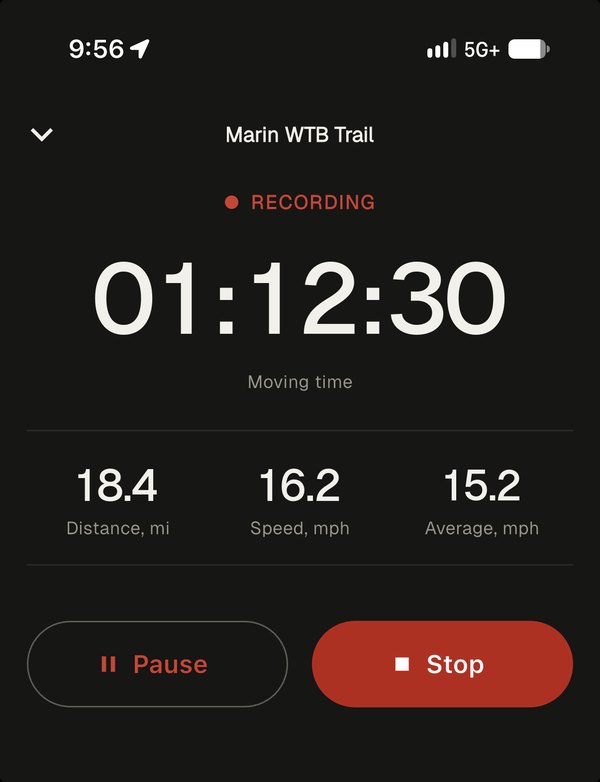
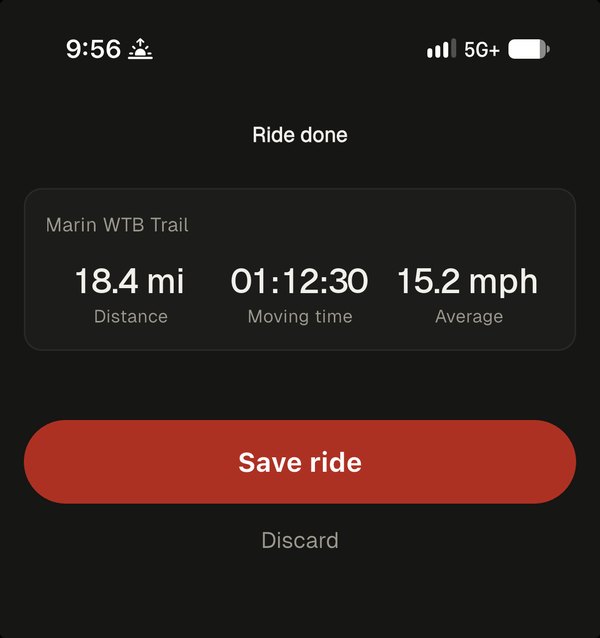
Megylla app screens. Ride values and bike name changed for illustration.
// How it works
Tap Ride, choose the bike you’re on, and go. The live screen shows time, distance, current speed, and average speed.
Megylla pauses when you stop and keeps recording with your phone locked or in another app. A bar at the bottom shows your ride is running.
The miles go on that bike. If a service came due on the ride, Megylla shows it, so you can log it or contact your shop.
// Why track rides in Megylla
Most ride trackers stop at the ride. Megylla puts every mile on the bike that did it, so chain wear, brake pads, tires, and the rest of your Service Clocks count down on real mileage — and your mileage reminders fire when they should.
// Private by design
Ride Tracker uses your phone’s location only while a ride is recording. The GPS points stay on your phone and are deleted when you save the ride. Megylla stores a summary — distance, time, and speed — never a map of where you went.
Details in our Privacy Policy.
// Questions
No. Ride Tracker records rides with just your phone and adds the miles to your bike. If you already sync rides from Strava, Megylla can keep doing that instead.
Yes. It keeps recording with your phone locked or while you use another app, and it pauses automatically when you stop.
No. GPS points stay on your phone and are deleted when the ride is saved. Megylla stores only the ride’s summary, such as distance, time, and speed.
The ride saves on your phone and uploads when you’re back online.
Yes. Ride Tracker is part of the Megylla app for iPhone and Android, which is free with no subscription.
Yes. Add a ride by hand in the app, and edit or delete rides from your bike’s page.
Download Megylla, add your bike, and tap Ride.